Blog
How to Choose the Best 3D Print Filament in 2026
Choosing the right 3d Print Filament in 2026 is less about finding a universally “best” spool and more about matching material to the job. A PLA part for a desk display has different needs from a PETG bracket near a sunny window or a flexible TPU phone case. Think about heat, impact, UV exposure, surface finish, and how much bending the part must tolerate. The printer matters too. Check its nozzle temperature range, heated-bed capability, build volume, and whether it has an enclosure before buying. A spool label cannot upgrade a printer’s hardware.
Small details often decide whether a print succeeds. Damp nylon may hiss or leave a rough surface; a poorly stored spool can cause trouble even on a well-tuned machine. Abrasive composites may wear a standard brass nozzle faster, while flexible filament can feed unreliably through some extruders. Start with the manufacturer’s temperature range, then adjust in small steps and test a modest sample. Keep notes. They help when brands behave differently, which they often do. I still find material selection easy to overcomplicate. Price, color, and claims such as “high strength” are tempting, but they do not tell the whole story. This guide compares common filament types, practical trade-offs, printer compatibility, and storage habits, so you can make a choice based on the part you actually need—not just the spool that looks impressive.
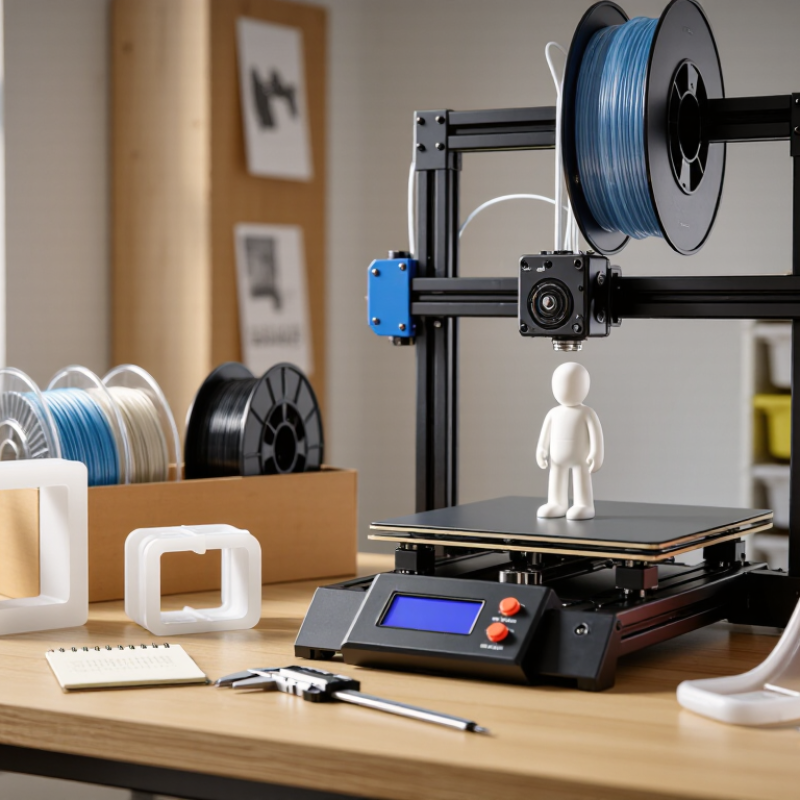
Identify the Requirements of the 3D-Printed Part
Before comparing filament types, define what the printed part must do. A decorative model needs clean detail and a smooth surface; a bracket needs strength in the direction of its load. Write down the expected force, movement, and contact points. A part that bends slightly may survive better than one that feels rigid but cracks at a layer line. Start with its job.
Check the part’s environment. Heat matters. A component near a warm motor may soften, while outdoor use can bring sunlight, moisture, and changing temperatures. Note the highest likely temperature, not just the room temperature during printing. Also consider whether the part touches skin or food; suitability depends on the material, additives, print conditions, and cleaning method. Do not assume a filament is safe for every use.
Then set practical targets for fit and finish. A threaded insert or snap-fit clip needs accurate dimensions, while a display piece may tolerate visible layer lines. Measure the mating parts with calipers, and leave room for printer variation. We often overestimate how much strength a part needs and underestimate the time spent sanding. That judgment can be wrong. If the part will carry weight, test a small sample in the same print orientation before making the final piece. Keep your printer’s temperature range and ventilation needs in the decision, too.
Compare Common Filament Types and Their Properties
Filament choice starts with the part’s job, not the printer’s advertised temperature. PLA is stiff, easy to print, and useful for display models or room-temperature prototypes. It can soften in a hot car, though, and may snap under repeated bending. PETG usually handles knocks and moisture better while remaining less demanding than many engineering plastics. Expect stringing if the nozzle is too hot or retraction is poorly tuned. Small test pieces help.
ABS tolerates more heat and impact, but cooling can warp broad corners; ventilation and a stable enclosure matter. TPU bends instead of breaking, making it suited to grips, feet, and flexible covers. Slow the feed, since soft filament can buckle in the extruder. Nylon is tough and wear-resistant, yet it absorbs moisture from the air and often needs careful drying before use. In practice, a sealed spool can still disappoint if it was damp before storage. Trade-offs remain. Print a temperature tower, inspect layer bonding, and compare finished parts rather than relying on a datasheet alone.
Check Printer Compatibility and Printing Conditions
When choosing filament, check the printer’s documented limits before comparing colors or finishes. Confirm filament diameter, nozzle temperature, bed temperature, and whether the machine has an enclosure. The Wohlers Report 2024 estimated that the additive manufacturing industry grew 11.1% in 2023, reaching $20.035 billion. That figure covers the wider industry, not filament alone, but it reflects a crowded and changing materials market.
Match the spool’s full temperature range to your printer, not just its advertised maximum. A machine that reaches the required nozzle temperature may still lack a suitable heated bed or enclosure. Check nozzle material, too: some abrasive-filled filaments can wear a standard brass nozzle. Small detail, big consequences. Keep the spool dry, and follow its handling instructions; damp filament may pop, hiss, or leave rough surfaces. A quick test print can reveal problems before a long job wastes hours.
Room conditions matter. A cold draft can warp a large part, while a warm, enclosed printer may be unsuitable for materials that require open airflow. Check the printer manual and material datasheet together; neither tells the whole story. One easy mistake is trusting a single successful print as proof of compatibility. It may only mean the room happened to be warm that day. Record settings and results, then adjust one variable at a time.
Evaluate Strength, Finish, Cost, and Environmental Factors
For strength, compare filament data measured under the same test method, then print a small sample in the orientation your part will use. ASTM D638 provides a standard tensile-testing method, but a spool’s published strength does not predict a finished part perfectly. Layer direction, nozzle temperature, and infill can change performance. A bracket may feel rigid across its layers and split cleanly between them. That difference matters.
Finish and cost are practical trade-offs. PLA is often easy to print and can produce crisp details; PETG may suit parts needing more flexibility, though strings can spoil a clean surface. Test a short wall and a small moving part before committing to a full spool. Compare cost per usable part, not just price per kilogram. Failed prints count. One weakness in this approach: a quick home test is not a controlled material test.
Environmental claims need careful reading. The OECD’s 2022 Global Plastics Outlook estimates that only 9% of plastic waste was ultimately recycled worldwide, after losses. That figure covers plastics broadly, not 3D-printing filament alone. Still, it supports choosing the right amount, limiting failed prints, and checking local disposal options instead of assuming “biodegradable” means compostable at home. Consider ventilation and print temperature, too; lower energy use can depend on both the material and your printer settings.
How to Choose the Best 3D Print Filament in 2026
Compare typical tensile-strength ranges for common FDM filaments. Printed-part results vary with material grade, print orientation, and settings.
Other factors: PLA is usually low-cost and easy to print, with a smooth finish; PETG is often tougher and more impact-resistant; ABS can be smoothed with acetone but needs good ventilation; nylon is wear-resistant but absorbs moisture and can be harder to print. Prices vary by grade and region: basic PLA and ABS often cost about $15–30/kg, PETG about $20–35/kg, and nylon about $30–60/kg. Environmental claims depend on local waste facilities: PLA generally requires industrial composting conditions, and household recycling programs often do not accept 3D-printing filament.
Select and Test the Filament for the Intended Use
Choose filament by the part’s job, not its label alone. A desk model may need clean detail, while a bracket near a warm window needs better heat resistance. Flexible parts call for a different balance of stretch and strength. Consider sunlight, moisture, friction, and expected loads before comparing materials.
Check the current technical sheet for nozzle and bed temperatures, drying guidance, and stated limits. Then print a small test piece using the same settings planned for the final part. Include a thin wall, a hole, and a short loaded section. Start small. Look for stringing, weak layer bonds, curling corners, and dimensions that miss your fit.
Test in realistic conditions where practical. A clip that works on the printer may crack after repeated bending, and a dry-room result may not predict performance in humid storage. Keep notes on filament condition, settings, print orientation, and what failed. Change one variable at a time; otherwise, the result is hard to interpret. Keep notes. A simple test is not a certification, and material properties vary between formulations. Treat it as evidence for your specific use, not a guarantee.
How to Choose the Best 3D Print Filament in 2026 — Select and Test the Filament for the Intended Use
Match filament to the part’s environment, mechanical demands, printer capabilities, and finish requirements. Temperature ranges below are typical starting points, not universal settings; follow the filament maker’s instructions and adjust for your printer.
| Filament | Typical Nozzle / Bed Temperature | Useful Characteristics | Limitations and Printing Needs | Good-Fit Applications | What to Check in a Test Print |
|---|---|---|---|---|---|
| PLA | 190–220°C / 0–60°C | Easy to print, low warping, and widely available in many colors and finishes. Often produces crisp detail. | Can soften in hot environments and is generally less heat-resistant and impact-tough than engineering plastics. Some formulations behave differently from standard PLA. | Decorative models, prototypes, classroom projects, and parts used indoors at moderate temperatures. | Check bridging, overhangs, dimensional accuracy, layer bonding, and whether the part softens at its intended service temperature. |
| PETG | 220–250°C / 60–85°C | Usually offers a useful balance of toughness, layer adhesion, and moisture resistance. Often less prone to warping than ABS. | Can string or ooze; a dry spool and careful retraction settings may help. It can be more flexible than PLA, and surface finish may show fine strings. | Functional brackets, housings, containers, and parts that need more toughness than typical PLA. | Check stringing, corner lift, layer adhesion, fit, and deformation under the expected load. |
| ABS | 230–260°C / 90–110°C | Tough, machinable, and more heat-resistant than standard PLA. Can be smoothed with suitable solvent processes under controlled conditions. | Prone to warping and layer splitting. A warm, stable enclosure and effective ventilation are recommended; printing can release irritating fumes. | Durable indoor housings, fixtures, and parts that may experience moderate heat or post-processing. | Check for corner lift, cracks between layers, enclosure temperature stability, and dimensional changes after cooling. |
| ASA | 240–270°C / 90–110°C | Similar general printing demands to ABS, with better resistance to outdoor weathering and ultraviolet exposure than standard ABS. | Can warp and may require an enclosure and ventilation. Its performance depends on the specific formulation and print quality. | Outdoor covers, brackets, and components exposed to sunlight or changing weather. | Check warping and layer bonding; for outdoor parts, evaluate the printed component under the actual exposure and load conditions. |
| TPU (flexible) | 210–240°C / 20–60°C | Flexible and impact-absorbing; available in different hardness levels. Can produce parts that bend rather than break. | Prints slowly compared with many rigid filaments. Flexible material may buckle in some feed paths; dry material and a short, well-supported path can help. | Flexible covers, grips, bumpers, seals, and vibration-damping parts. | Check feeding reliability, dimensional fit, bend recovery, layer adhesion, and flexibility at the intended wall thickness. |
| Nylon (PA) | 240–280°C / 70–100°C | Can provide strong, wear-resistant parts with good toughness. Some grades are suitable for moving or rubbing components. | Absorbs moisture readily, which can cause poor surface quality and weak prints; drying and dry storage are important. Warping and shrinkage can occur. | Gears, hinges, bushings, and functional parts where toughness or wear resistance matters. | Check spool dryness, warping, layer bonding, fit, and wear under the intended motion and load. |
| Polycarbonate (PC) | 260–310°C / 90–120°C | Selected grades can offer high impact strength and heat resistance compared with common desktop filaments. | Requires a printer capable of the specified nozzle temperature; an enclosure, dry material, and careful bed adhesion may be necessary. Grade performance varies considerably. | Load-bearing or heat-exposed components when the printer and filament grade support the required conditions. | Check adhesion, warping, layer strength, fit, and heat performance; confirm that the printer’s hotend and other components are rated for the material. |
| Polypropylene (PP) | 220–250°C / 70–100°C | Lightweight and chemically resistant to many substances; its flexibility can suit living hinges and containers. | Often difficult to bond to a build surface and may warp. Use a compatible bed surface and follow the filament-specific adhesion guidance. | Hinges, lightweight containers, and parts that benefit from chemical resistance or repeated flexing. | Check first-layer adhesion, warping, hinge cycling, and compatibility with the specific chemicals the part may contact. |
Practical selection and test sequence: Confirm the part’s temperature, load, impact, chemical, UV, and flexibility requirements. Verify that the printer can safely reach the filament’s recommended settings. Print a small temperature or calibration test, then a representative test part; assess fit, layer adhesion, warping, surface quality, and performance under realistic conditions. A printed part’s strength and suitability depend on its design, orientation, settings, material grade, and print quality.